Events
From Prompts to Processes: What AI Actually Changes for Product Managers
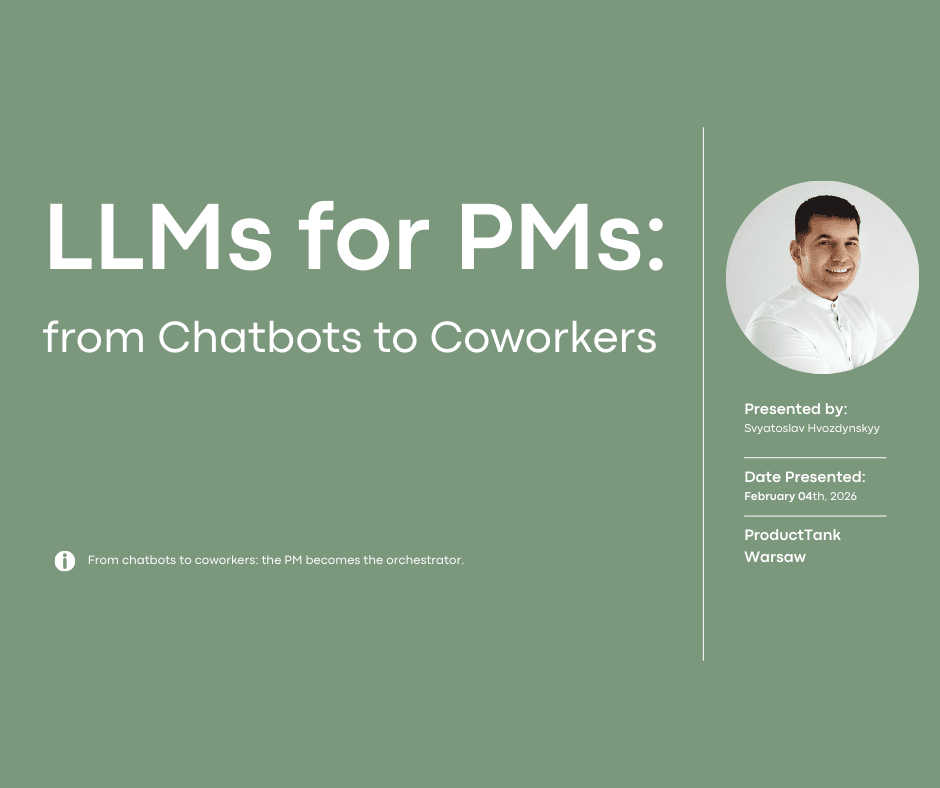
Inspired by a Tech Mixer talk on how small teams and product managers can move beyond one-off AI prototypes and design repeatable workflows that produce useful outcomes.

From Prompts to Processes: What AI Actually Changes for Product Managers
Most teams do not have a problem finding an AI tool anymore.
That used to be the hard part. You had to know which model to use, which interface to try, which automation platform was worth learning, and which demo on LinkedIn was real enough to copy. Today the problem is different. The market is full of tools. The difficult question is no longer "Which AI tool should we try?" It is "How do we make AI actually work inside our project, with our data, our budget, our team habits, and our quality bar?"
That was the central theme of Kraków Tech Mixer #1: small teams and solo builders using AI to do more without a large budget and without adding unnecessary people to the team. The format was intentionally practical. Each speaker had to answer four questions: what problem they faced, what they tried, what actually worked, and what concrete result came out of it.
This article is based on the talk I gave there. The short version is simple: building with AI has become much easier, but building something people keep using has not. AI changes the cost of prototyping, but it does not remove the need for product thinking, distribution, trust, and well-designed workflows.
For product managers, that matters a lot. The value of a PM is shifting from writing better prompts to designing better processes.
From answer machines to process executors
Our relationship with generative AI has changed quickly.
At first, we treated it as an answer machine. We asked questions and received responses. That alone was useful, but it was also generic. So we started personalizing it. Custom GPTs, Gems, and similar products appeared because people wanted models to remember tone, preferences, and domain context.
Then we noticed that many tasks repeat. We started automating them. Tools like n8n and similar workflow builders became attractive because they helped connect AI with triggers, databases, messages, spreadsheets, and business systems.
But many real tasks were still too fluid for simple automation. A product discovery workflow is not just "if this happens, do that." It requires judgment. It requires reading context, deciding what matters, asking for confirmation, working with imperfect inputs, and producing artifacts in the format a team can actually use.
So the next step was to give models more than a prompt. We gave them memory, files, tools, integrations, and the ability to take actions. That is how agentic workflows entered everyday work.
The direction is clear: we are moving from "give me an answer" to "here is the goal, here is the context, here are the tools, now help me execute the process."
This is not a small UI change. It changes the shape of work.
What changes for product managers
A product manager's work is full of repeatable but judgment-heavy processes.
Take user feedback analysis. A simple AI use case would be: paste feedback into a chat and ask for a summary. That is useful once. It is not yet a workflow.
A more serious version looks different. An agent gathers feedback from multiple sources, reads it with product and company context, groups signals by theme, separates evidence from interpretation, preserves direct quotes, checks whether the signal is recurring or isolated, and produces artifacts that match the team's operating system.
That artifact might be a Linear issue, a Jira ticket, a discovery brief, a PRD section, a roadmap input, or a weekly insights memo.
Another agent could then take one of those issues, prepare a lightweight specification, and build a prototype to test a specific hypothesis.
At first glance, this sounds like a way to remove routine tasks from the PM's day. That is true, but incomplete. The bigger change is that the PM becomes a designer of the operating process.
The PM has to define what good input looks like, what sources are trusted, what the agent is allowed to do, where human approval is required, what the output format should be, and how quality will be evaluated.
In other words, the work moves upstream.
The PM is not only asking AI for help. The PM is designing the conditions under which AI can help reliably.
The first product opportunity I saw
When coding agents such as Claude Code and Gemini CLI started becoming useful, many product managers realized something important: these tools were not only for writing code.
They could help write product documents. They could analyze research. They could generate tickets. They could inspect files, work across folders, use templates, and coordinate multiple steps of a task.
But there was a barrier.
For many early tools, the practical workflow still lived inside a developer environment. Files on one side. Output in the center. Settings somewhere else. And, for many non-technical professionals, the most intimidating part of all: the terminal.
Some product managers are comfortable in that environment. Many are not. And even when they are curious, there is a real adoption cost. Setting up a local environment, learning command-line habits, understanding file permissions, managing tools, and debugging small configuration problems can easily turn an exciting idea into an abandoned experiment.
That is where I saw a classic product opportunity.
The value was already there. Product managers wanted to use agents. The adoption blocker was complexity.
The first idea behind PM.guide was to hide that technical complexity behind a product manager-friendly workspace and provide a library of ready-to-use workflows.
Not another generic chat window.
A workspace shaped around how PMs actually work: research, prioritization, discovery, planning, stakeholder communication, backlog shaping, and decision-making.
The early signal was encouraging. In product conversations, I kept hearing the same thing in different words: "I understand why this could be useful, but I do not want to spend my evening setting up the environment."
That was a real pain.
Then the window moved
In AI products, a product opportunity can open very quickly. It can also close quickly.
The same technical barrier that looked like an opportunity for PM.guide was visible to the large AI platforms too. Tools such as Codex and Cowork started moving in the same direction: reducing the setup cost, giving users access to files and context, connecting to external tools, and making agentic workflows available through more understandable interfaces.
I remember seeing one of the early announcements and thinking two things almost at the same time.
First: this is exactly what I am building.
Second: now it is being built by a platform company with far more resources.
For users, this is good news. The easier these tools become, the more people can use them. For a product that only hides technical complexity, it is more complicated.
That was an important lesson. What looked like a painkiller can quickly become a vitamin when the platform absorbs the obvious pain.
But this does not mean PM.guide is over. PM.guide is still an active project. The lesson is more precise: the original layer of the opportunity changed.
If PM.guide is only "a nicer interface for agent tools," it is vulnerable. But if PM.guide helps product teams define, run, inspect, improve, and reuse PM workflows, the problem remains valuable.
The interface matters. But the durable product is not the interface alone.
The durable product is the workflow system.
A concrete result: from interviews to a Linear ticket
In the talk, I returned to a practical example: analyzing user interviews and turning the insight into a usable product artifact.
The visible workflow looks simple.
You create a project with interview transcripts. You ask an AI workspace to analyze them with the right product context, rules, and templates. The output is a structured Linear ticket draft that the PM can review.
That is a concrete result: raw qualitative inputs become a review-ready product artifact.
But if we stop there, we miss the point. The impressive part is not that AI can write a ticket. Many tools can produce a ticket-shaped text block. The hard part is producing a ticket that is grounded in evidence, fits the team's conventions, respects constraints, and is ready for a human decision.
For that, the visible prompt is not enough.
The useful result depends on the hidden workflow behind it.
The workflow is the product
This is the main idea I want PMs to take seriously:
The output is easy. The workflow is the product.
If you want AI to produce consistently useful results, you have to do the work before the prompt.
You need to define the goal. What decision are we trying to make? Are we trying to understand a user segment, create backlog items, validate a positioning hypothesis, summarize support pain, or decide whether a feature should move forward?
You need to provide context. What product is this about? Who is the target user? What is already known? Which documents are trusted? Which research is current? Which terms should be used consistently?
You need constraints. What should the agent never do? Should it avoid inventing quotes? Should it separate evidence from inference? Should it ask for human approval before creating a ticket? Should it ignore outdated documents? Should it mark uncertainty instead of smoothing it over?
You need checkpoints. Where does the human stay in the loop? When should the PM approve the interpretation? When should stakeholders review the output? When is the agent allowed to take an action in an external tool?
You need quality criteria. What does a good result look like? How will you know whether the analysis is useful? What metrics or review standards will you use? How will you compare one run with the next?
That is why the PM role shifts from prompt writing to process design.
A good prompt can create a good one-off answer. A good process can create a repeatable capability.
Start by writing the workflow down
The practical starting point does not need to be complicated.
Start with a Markdown file.
Write down the workflow before trying to automate it. Describe the goal, inputs, steps, decision points, output format, and quality checks. This alone is valuable because it forces the team to make implicit expectations explicit.
For an interview analysis workflow, the first version could include rules like these:
Use only the provided interview transcripts and approved product context.
Preserve direct quotes when making evidence claims.
Group user problems by theme.
Distinguish between user statements and product interpretation.
Estimate how often each signal appears across the interviews.
Identify which target segment each signal belongs to.
Do not create a final ticket without human approval.
Produce the output in the team's standard Linear issue format.
Markdown is not magic. Its value is that it makes the process visible.
If we cannot describe the process clearly, an agent will not execute it reliably. It may still produce something impressive, but impressive is not the same as dependable.
The written workflow also becomes a collaboration artifact. A designer can challenge the evidence rules. An engineer can challenge the ticket format. A researcher can improve the quote handling. A founder can add a business constraint. The workflow becomes something the team can inspect and improve.
That is a very different behavior from pasting a prompt into a chat window and hoping for the best.
From instructions to reusable capabilities
Once a workflow is written down, it can become more than a document.
There are several useful layers to understand.
A workflow file is the recipe for a specific process. It explains what should happen, in what order, with what inputs, and what output should be produced.
An AGENTS.md file can define persistent project rules. For example: which sources of truth to trust, how PM.guide terminology should be used, how tickets should be formatted, and where human approval is required.
A Skill packages a repeatable workflow so it can be reused. The core instruction file might be SKILL.md, supported by templates, examples, reference material, or scripts.
MCP and similar integration layers connect the workflow to external systems such as Linear, Jira, Google Drive, Slack, Notion, or an internal knowledge base.
Automation adds cadence. It turns a workflow from something you remember to run into something that can be triggered by time, events, or changes in source systems.
The important point is not the specific acronym or tool name. Those will change. The important point is the progression:
from a one-off prompt,
to a written workflow,
to persistent project context,
to a reusable capability,
to an integrated process.
That is how small teams can get real leverage from AI without pretending that AI removes the need for process.
Why this matters especially for small teams
Small teams and solo builders feel the AI shift earlier than large organizations.
They do not have enough people to solve every problem with headcount. They cannot create a separate role for every recurring task. They often have to move from research to prototype to launch to support without clean handoffs.
That is why AI is attractive. It can compress the distance between idea and execution.
But the same speed creates a trap. When building becomes easy, teams can produce more artifacts than they can validate. More prototypes. More features. More landing pages. More user stories. More analysis documents. More dashboards.
Output volume is not the bottleneck anymore.
The bottleneck becomes judgment. Which artifact matters? Which customer problem is real? Which workflow should be improved? Which generated output is trustworthy enough to use? Which prototype should be shown to users? Which ticket should be created, and which one should be deleted?
For small teams, the answer is not "use more AI everywhere." The answer is to identify the workflows where AI can create leverage and then design those workflows carefully.
Good candidates usually have a few traits:
They repeat often enough to be worth systematizing.
They use messy but available inputs.
They produce an artifact the team already needs.
They benefit from product context.
They require human judgment at clear points.
They can be reviewed against explicit quality criteria.
User feedback analysis is one example. So is competitive research, release note drafting, support trend analysis, customer call preparation, backlog cleanup, PRD review, experiment readout generation, and stakeholder update drafting.
The shared pattern is that AI is not replacing the PM's judgment. It is helping the PM apply judgment to a better-structured flow of work.
The PM's job moves upstream
The phrase "10x PM" is often used carelessly. It can sound like a fantasy where one person uses AI to replace a whole team.
That is not the useful version.
A more practical formula is:
10x PM = Workflow Design x Automation x Augmentation.
Workflow design means making the work explicit. What is the process? What are the inputs? What is the output? What are the rules? Where does the human decide?
Automation means removing repeated mechanical effort where it is safe to do so.
Augmentation means improving the quality and speed of human judgment, not pretending judgment is unnecessary.
This is a serious shift in product work. PMs used to spend a lot of energy producing the first draft of many artifacts: specs, summaries, tickets, research syntheses, status updates, and prioritization notes.
AI can now produce first drafts quickly.
So the PM's value moves toward defining the right artifact, giving it the right context, reviewing it critically, connecting it to a decision, and improving the system that produced it.
That is a higher-leverage role, but it is not passive. It requires stronger product thinking, not weaker product thinking.
A feature is not a moat
There is another uncomfortable lesson for anyone building AI products.
A feature is not a moat.
In a fast-moving AI market, a capability that feels differentiated today can become a default feature tomorrow. A wrapper around a model can be useful, but it is rarely defensible by itself. A clever prompt can inspire a product, but it cannot protect one for long.
The durable advantages are usually deeper:
Proprietary or hard-to-recreate context.
Integration into a workflow users already care about.
Trust that the output is reliable enough to act on.
Distribution into the right audience.
A feedback loop that improves the system over time.
Clear ownership of a specific job-to-be-done.
This is why PM.guide has to be more than a nicer front door to AI. The product direction has to be about helping PMs and teams turn recurring product work into guided, reusable, inspectable workflows.
The active opportunity is not "make AI less technical" in the abstract. Platforms are already doing that. The active opportunity is to help product teams make AI operationally useful in the specific work they repeat every week.
That includes templates, project context, sources of truth, checkpoints, workflow definitions, review-ready artifacts, and integrations into systems where PM work actually lands.
The value is not only that an agent can create output.
The value is that a team can trust how that output was created.
What to do next if you are a PM
If you are a product manager trying to use AI seriously, do not start by collecting tools.
Start by choosing one recurring workflow.
Pick something that happens often, takes real time, and produces an artifact your team already uses. Do not choose the most complex process first. Choose one where the inputs are available and the output can be reviewed clearly.
Then write the workflow down.
Define:
The goal.
The trusted inputs.
The steps.
The rules and constraints.
The approval checkpoints.
The output format.
The quality criteria.
Run the workflow manually with AI assistance. Review the output. Fix the workflow. Run it again. Only then decide what should be turned into persistent instructions, reusable skills, integrations, or automation.
This is slower than posting a demo. It is also much more likely to produce something your team keeps using.
The goal is not to have the fanciest AI stack. The goal is to build a process that reliably helps the team make better decisions and produce better artifacts with less wasted effort.
The real lesson from Tech Mixer
The Tech Mixer theme was about small teams using AI to do more without big budgets or unnecessary headcount.
My answer is this:
AI helps small teams do more when it is attached to a workflow, not when it is treated as a magic text box.
The most important question is not "Which tool should we use?" The better question is "Which process are we improving, and how will we know it got better?"
That question changes the conversation. It moves AI from novelty to operations. It makes the work inspectable. It creates space for quality. It keeps humans in the right decision points. It gives small teams a way to compound learning instead of starting from scratch every time.
So do not stop at prompts, models, and tools.
Experiment with processes.
Because the goal is not to build something that looks good in a demo. The goal is to build something users, teammates, and customers return to because it helps them do real work.
Building got easier. Distribution did not.
The 10x PM is not the person with the longest prompt library. It is the person who can design the workflow, automate the repeatable parts, augment the judgment-heavy parts, and keep improving the system.
That is where AI becomes useful.
That is where product work still matters.
View more articles
Learn actionable strategies, proven workflows, and tips from experts to help your product thrive.